
Inspect a rectangle I just added to my design.
Preview an older version of my design.
The intention is included in the agent’s input prompt alongside environment details and task instructions.
BeforeThe defect at the parent commit
0:00.00 / 0:00.00Frame 0
Follow the newly drawn rectangle into Inspect, then return to Dashboard and reopen the same file. The rectangle is missing after reopening.
AfterThe same script once the merged fix is applied
0:00.00 / 0:00.00Frame 0
The newly drawn rectangle remains available after entering Inspect, returning to Dashboard, and reopening the same file.
01 · Given
Restore the data and starting state.
An editable design file is open on an empty page. Edits are saved automatically in the background.
02 · When
Perform the interaction.
The user draws a rectangle, switches the sidebar to Inspect before autosave finishes, and stays there longer than the autosave interval. They then return to Dashboard and reopen the same file.
03 · Judge
Rationale: Inspect is a read-only mode for viewing a design object's properties and code. Switching to it after editing should preserve work still being saved in the background, so the user can inspect the design and return to the same edits later.
Require
Previously pending edits remain persisted or recoverable through Inspect mode and are available when the same file is reopened.
Allowed
- The queue may flush before switching, continue saving in Inspect, or resume submission after leaving Inspect.
- A persistent local queue may restore the edit after reload.
- Inspect's read-only presentation may vary.
Model
HarnessDeepSeek Flash
DSH
59.8M in · 120.5k out · 59.9M total
DSH · 213 steps · $0.41 · 56m 54s · 59.9M tokens
DSH
213
$0.41
56m 54s
59.8M
120.5k
59.9M
Claude Opus 5.5
Claude Code
9.4M in · 35.4k out · 9.4M total
Claude Code · 89 steps · $3.90 · 38m 15s · 9.4M tokens
Claude Code
89
$3.90
38m 15s
9.4M
35.4k
9.4M
GPT-6 Astra
Codex
9.3M in · 22.3k out · 9.3M total
Codex · 103 steps · $11.73 · 32m 17s · 9.3M tokens
Codex
103
$11.73
32m 17s
9.3M
22.3k
9.3M
GLM-5.3 Flash
ZCode
56.7M in · 174.7k out · 56.9M total
ZCode · 451 steps · $1.88 · 1h 15m · 56.9M tokens
ZCode
451
$1.88
1h 15m
56.7M
174.7k
56.9M
Qwen3.8 Max
Codex
16.8M in · 73.5k out · 16.8M total
Codex · 140 steps · $5.26 · 1h 13m · 16.8M tokens
Codex
140
$5.26
1h 13m
16.8M
73.5k
16.8M
Kimi K3
Kimi Code
30.6M in · 142.3k out · 30.7M total
Kimi Code · 12 steps · $12.62 · 1h 12m · 30.7M tokens
Kimi Code
12
$12.62
1h 12m
30.6M
142.3k
30.7M
Community & collaboration
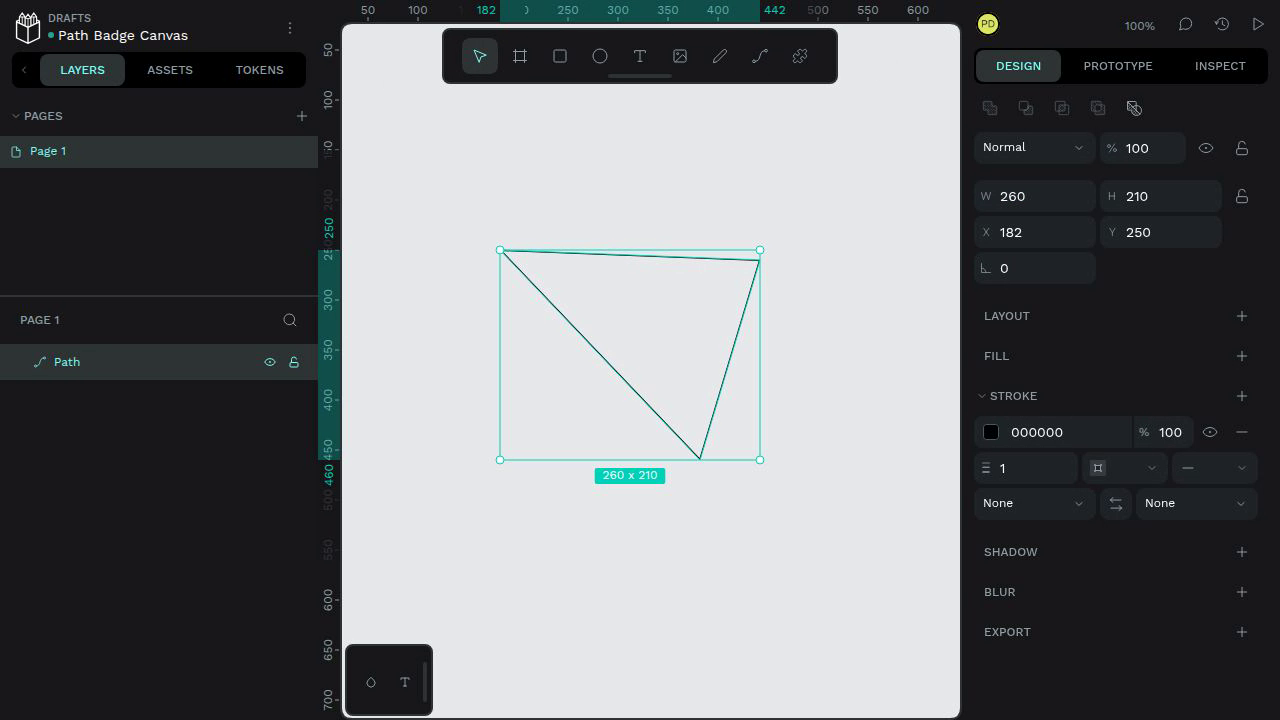
Draw and select a closed path to inspect its size badge
The selected 260 x 210 path's size badge below the bounding box contains only an "x" character; the numeric width and height are absent from the badge.
#10550
Community & collaboration
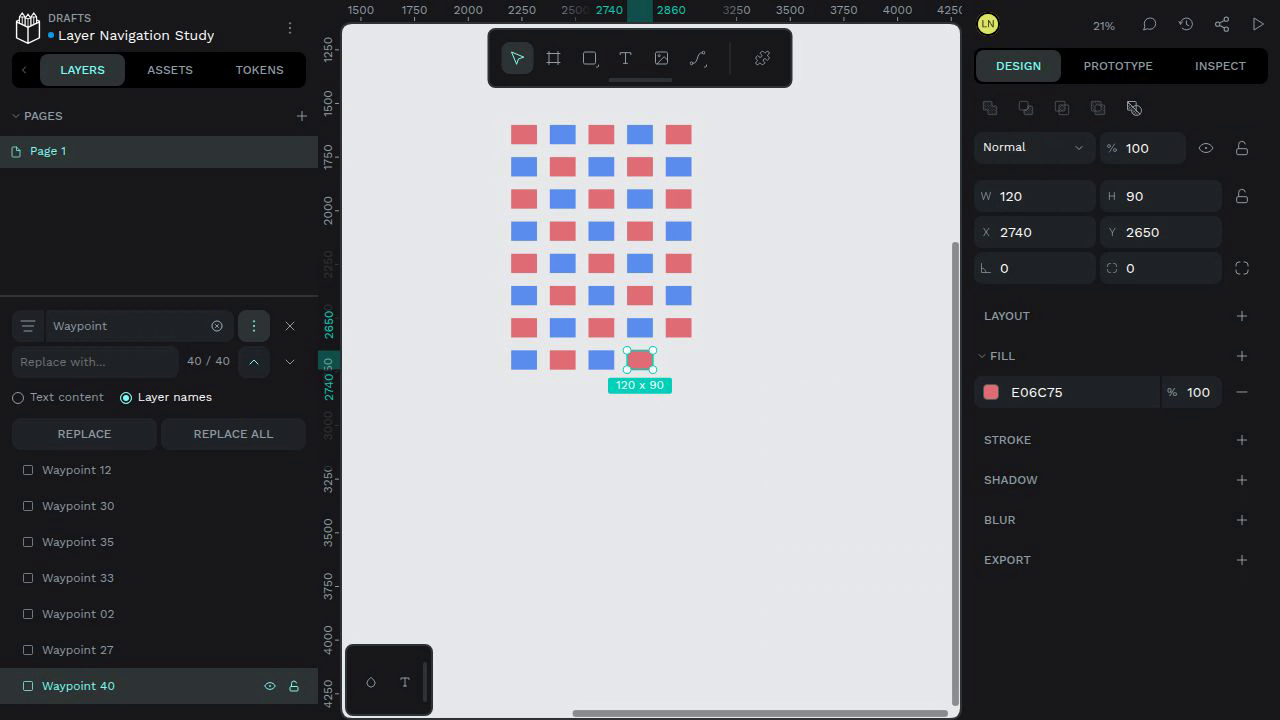
Keep the workspace layout stable while navigating a long layer list
Clicking Previous changes the counter to 40 / 40 and selects Waypoint 40. The workspace shifts upward, moving the header and toolbar out of view and leaving empty space below the canvas.
#11427