
Find work items in the project management app and review their details.
The intention is included in the agent’s input prompt alongside environment details and task instructions.
BeforeThe defect at the parent commit
0:00.00 / 0:00.00Frame 0 · Review EDIT-1
Use the EDIT-1 and EDIT-2 markers to compare each title with its description. Returning to EDIT-1 leaves EDIT-2's description underneath it.
AfterThe same script once the merged fix is applied
0:00.00 / 0:00.00Frame 0 · Review EDIT-1
The identifier, title, and marked description stay consistent when opening EDIT-2 and returning to EDIT-1.
01 · Given
Restore the data and starting state.
A reviewer has two work items with different descriptions. The full-page details of EDIT-1 [EDIT-1:title] Prepare launch brief are open, showing its identifier, title, and launch-goals description.
02 · When
Perform the interaction.
The reviewer uses Search commands to open EDIT-2 [EDIT-2:title] Review research notes, then uses Search commands to return to EDIT-1 [EDIT-1:title] Prepare launch brief.
03 · Judge
Rationale: A reviewer uses the selected work item's details to assess that item. Keeping descriptions and editor context attached to the correct item makes returning to an earlier selection reliable.
Require
The selected work item's identifier, title, description, and other item-specific details all belong to that item. Returning to a previously viewed item restores its own description and editor context.
Allowed
- Loading indicators, skeletons, or blank transitions may appear while the selected item's details load. Visible item-specific content belongs to the selection it is presented under.
- Unsaved edits may be autosaved, retained separately per item, discarded after a prompt, or handled before a switch. Their ownership remains clear.
- List order, layout, wording, and editor implementation may vary.
- After rapid switches, settled details correspond to the last confirmed selection.
Model
HarnessDeepSeek Flash
DSH
46.2M in · 87.1k out · 46.2M total
DSH · 192 steps · $0.50 · 25m 59s · 46.2M tokens
DSH
192
$0.50
25m 59s
46.2M
87.1k
46.2M
GLM-5.3 Flash
ZCode
35.8M in · 127.8k out · 35.9M total
ZCode · 496 steps · $1.21 · 58m 17s · 35.9M tokens
ZCode
496
$1.21
58m 17s
35.8M
127.8k
35.9M
Claude Opus 5.5
Claude Code
50.5M in · 123.0k out · 50.6M total
Claude Code · 418 steps · $3.73 · 1h 10m · 50.6M tokens
Claude Code
418
$3.73
1h 10m
50.5M
123.0k
50.6M
Qwen3.8 Max
Codex
17.4M in · 54.6k out · 17.5M total
Codex · 192 steps · $5.18 · 1h 07m · 17.5M tokens
Codex
192
$5.18
1h 07m
17.4M
54.6k
17.5M
GPT-6 Astra
Codex
4.6M in · 16.0k out · 4.7M total
Codex · 70 steps · $6.46 · 21m 48s · 4.7M tokens
Codex
70
$6.46
21m 48s
4.6M
16.0k
4.7M
Kimi K3
Kimi Code
61.3M in · 130.6k out · 61.5M total
Kimi Code · 50 steps · $22.97 · 56m 28s · 61.5M tokens
Kimi Code
50
$22.97
56m 28s
61.3M
130.6k
61.5M
Project management
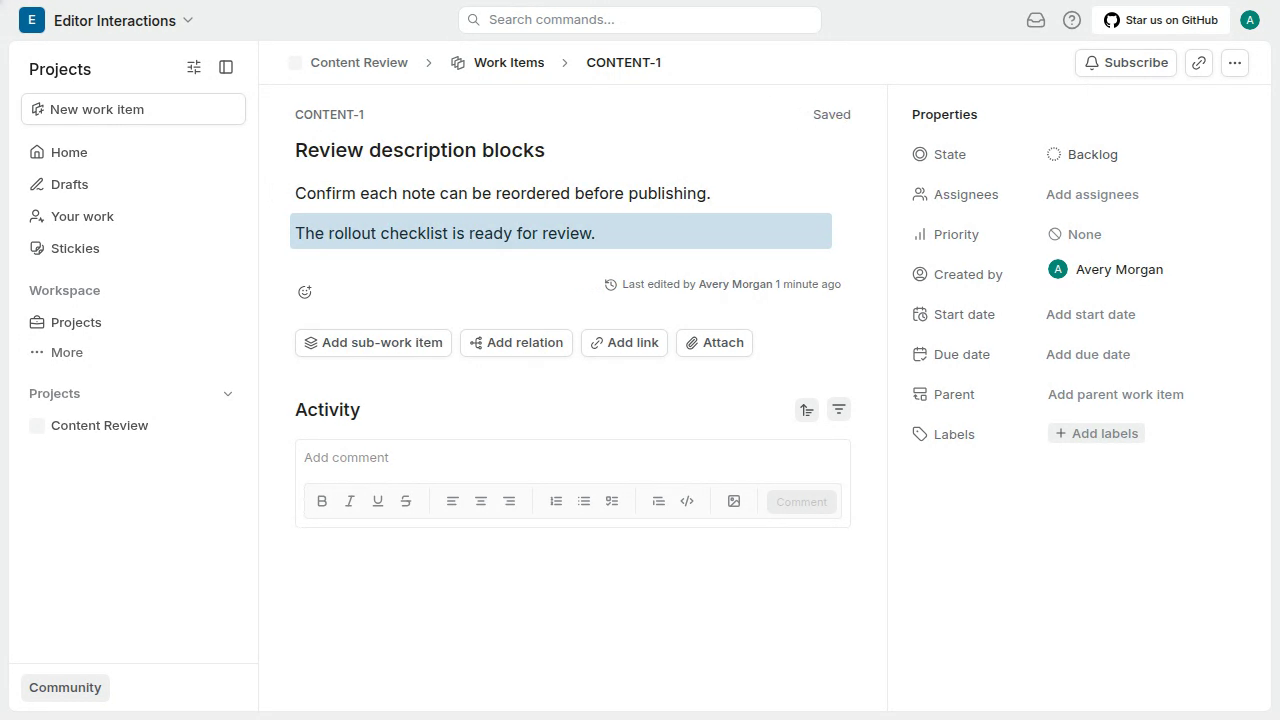
Reach the description drag handle to begin reordering a paragraph
As the pointer leaves the editor to cross the gap, the drag handle disappears before the pointer reaches its prior position, so it cannot be grabbed.
#8759
Project management
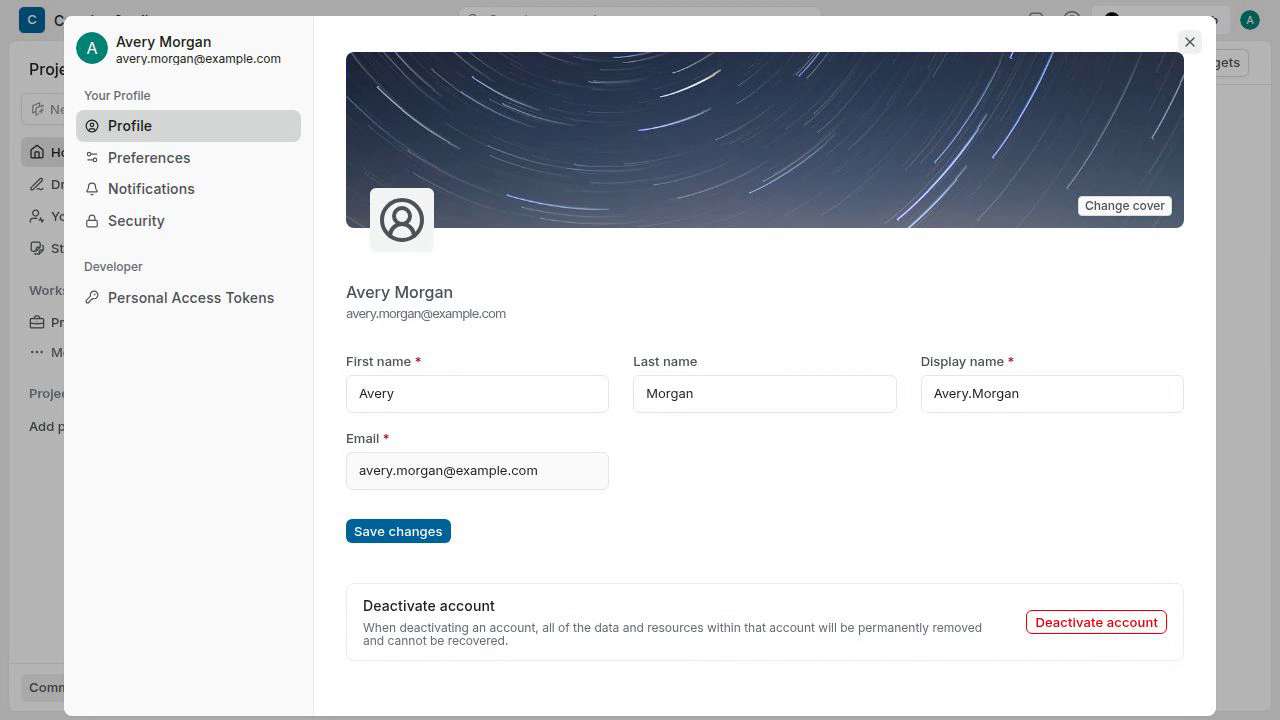
Change the profile cover and reopen settings to view the selected image
Saving the star-trails cover reports Profile updated successfully, but closing and reopening Profile settings shows the previous black-sand cover.
#9285