
Update my profile.
The intention is included in the agent’s input prompt alongside environment details and task instructions.
BeforeThe defect at the parent commit
0:00.00 / 0:00.00Frame 0 · Review the current cover
Compare the profile cover before selection, after Save changes, and after reopening. The saved star-trails image reverts to the old black-sand cover.
AfterThe same script once the merged fix is applied
0:00.00 / 0:00.00Frame 0 · Review the current cover
The selected star-trails cover survives saving, closing, and reopening Profile settings.
01 · Given
Restore the data and starting state.
The user is signed in with Profile settings open and the current black-sand cover displayed. Cover image 3, showing star trails, is available in the cover picker.
02 · When
Perform the interaction.
The user selects the star-trails cover, clicks Save changes, then closes Profile settings and reopens Settings from the avatar menu in the same session.
03 · Judge
Rationale: Save confirmation tells the user that their profile choice has been committed. Showing that cover when settings reopen lets the user rely on the confirmation across navigation.
Require
Reopening Profile settings in the same session displays the star-trail cover just confirmed as saved, using the latest committed choice without a full-page refresh.
Allowed
- Reentry may refetch server data, update caches, or reuse the latest confirmed state.
- A brief loading indicator or skeleton may appear while the latest cover loads. Content presented as the current saved cover reflects the latest confirmed choice.
- On save failure, the old cover may remain with explicit failure feedback.
Model
HarnessDeepSeek Flash
DSH
7.0M in · 31.9k out · 7.0M total
DSH · 89 steps · $0.12 · 20m 30s · 7.0M tokens
DSH
89
$0.12
20m 30s
7.0M
31.9k
7.0M
Claude Opus 5.5
Claude Code
1.1M in · 7.9k out · 1.1M total
Claude Code · 26 steps · $0.81 · 11m 53s · 1.1M tokens
Claude Code
26
$0.81
11m 53s
1.1M
7.9k
1.1M
GLM-5.3 Flash
ZCode
24.3M in · 126.5k out · 24.5M total
ZCode · 374 steps · $0.84 · 1h 06m · 24.5M tokens
ZCode
374
$0.84
1h 06m
24.3M
126.5k
24.5M
GPT-6 Astra
Codex
1.4M in · 6.2k out · 1.4M total
Codex · 35 steps · $2.31 · 13m 21s · 1.4M tokens
Codex
35
$2.31
13m 21s
1.4M
6.2k
1.4M
Kimi K3
Kimi Code
6.1M in · 62.6k out · 6.2M total
Kimi Code · 49 steps · $3.63 · 38m 36s · 6.2M tokens
Kimi Code
49
$3.63
38m 36s
6.1M
62.6k
6.2M
Qwen3.8 Max
Codex
23.9M in · 59.3k out · 24.0M total
Codex · 204 steps · $6.88 · 1h 06m · 24.0M tokens
Codex
204
$6.88
1h 06m
23.9M
59.3k
24.0M
Project management
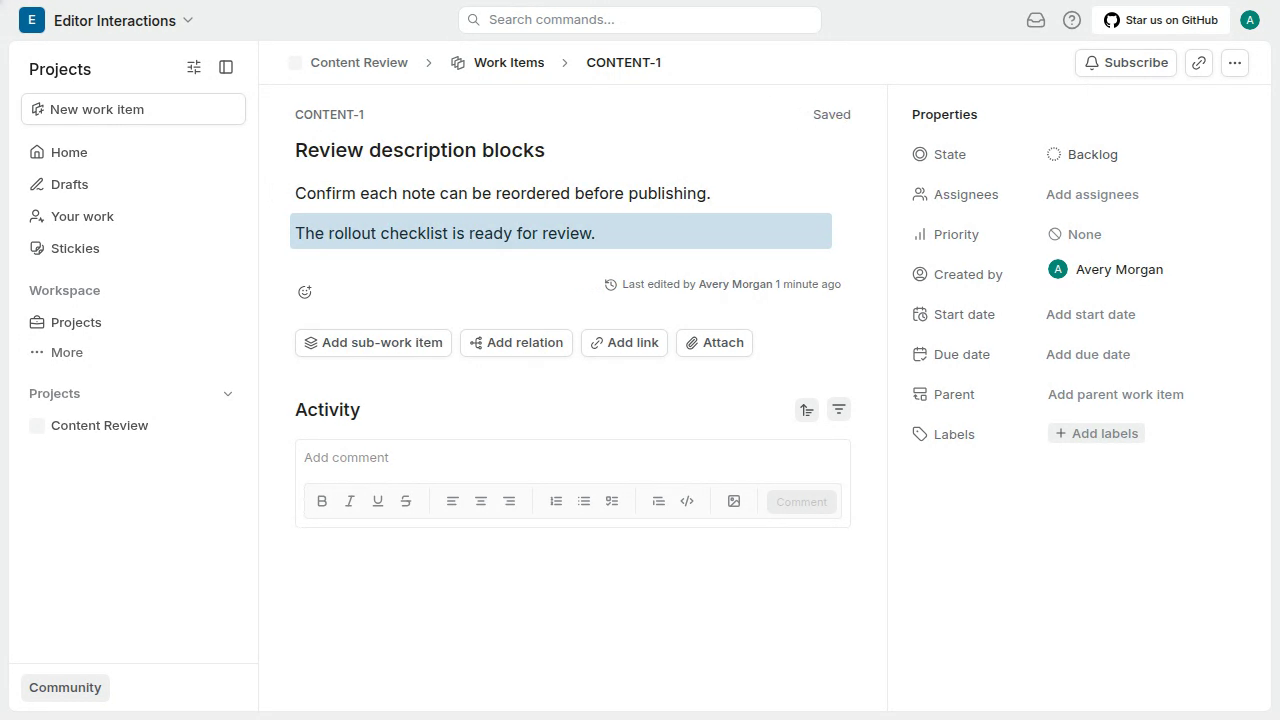
Reach the description drag handle to begin reordering a paragraph
As the pointer leaves the editor to cross the gap, the drag handle disappears before the pointer reaches its prior position, so it cannot be grabbed.
#8759
Project management
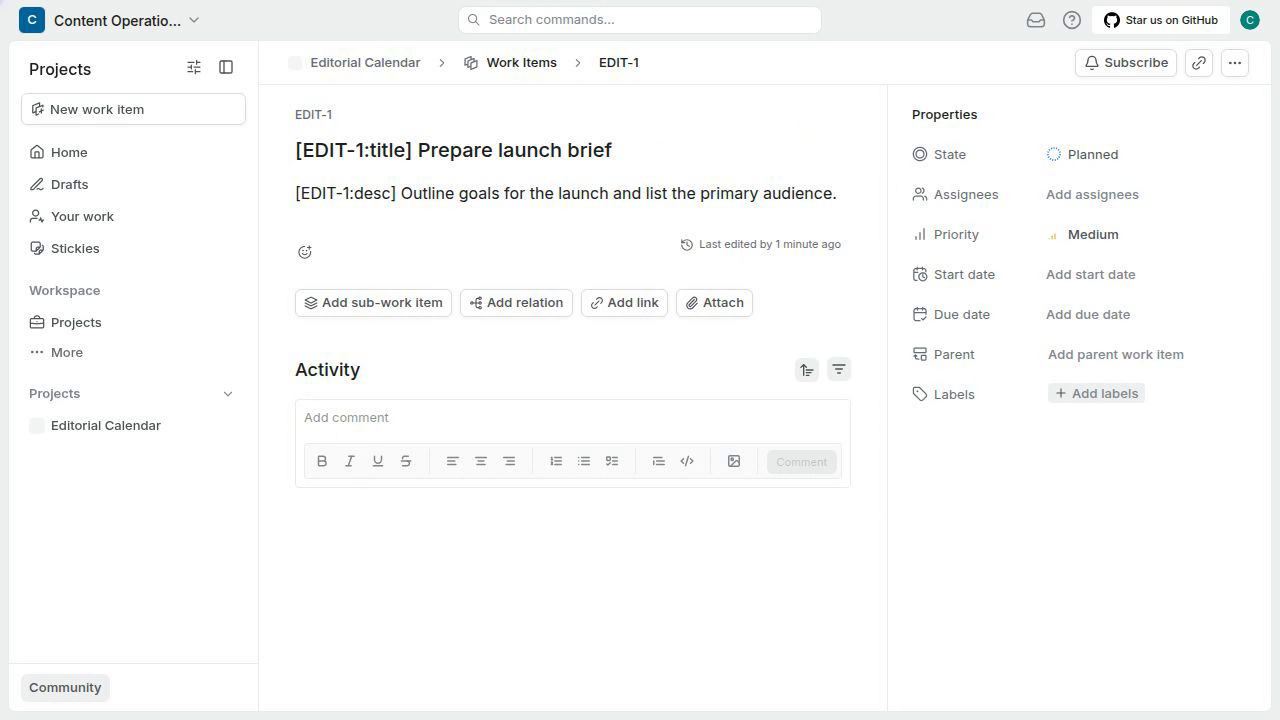
Revisit a work item using Search commands
The identifier and title return to "EDIT-1 [EDIT-1:title] Prepare launch brief", but the description input still shows "[EDIT-2:desc] Summarize customer interviews and capture the key findings.", the description from EDIT-2.
#8600