
Check whether to order more of a product on the stock replenishment list.
The intention is included in the agent’s input prompt alongside environment details and task instructions.
BeforeThe defect at the parent commit
0:00.00 / 0:00.00Frame 0 · Review stock and pending orders
Inspect the first stock row: it is below desired stock, yet To order is zero and hovering provides no explanation.
AfterThe same script once the merged fix is applied
0:00.00 / 0:00.00Frame 0 · Review stock and pending orders
Review why an under-target product remains listed while no extra order is needed.
01 · Given
Restore the data and starting state.
An administrator is on the physical-stock replenishment page. Computer XP4523 has physical stock 110, desired stock 200, and alert level 150. A sent supplier order for 100 units of this product awaits receipt.
02 · When
Perform the interaction.
The person reviews the Computer XP4523 row in the physical-stock replenish list and hovers over its To order quantity.
03 · Judge
Rationale: The list uses physical stock to identify shortages, but additional ordering also accounts for incoming supplies. Stock 110 is below the target 200, yet the pending 100 covers the 90-unit gap. Explaining this distinction prevents unnecessary repeat orders.
Require
Keep To order at zero and explain in its row or quantity context, without leaving the replenishment view, that physical stock below target puts the product on the list, while existing orders already cover the shortage.
Allowed
- A tooltip on the quantity or adjacent help affordance, a popover, or concise inline explanatory text is acceptable.
- The explanation may be localized and need not use the upstream tooltip wording or repeat every numeric value.
Model
HarnessDeepSeek Flash
DSH
10.0M in · 43.2k out · 10.0M total
DSH · 92 steps · $0.08 · 8m 53s · 10.0M tokens
DSH
92
$0.08
8m 53s
10.0M
43.2k
10.0M
GLM-5.3 Flash
ZCode
9.3M in · 64.5k out · 9.4M total
ZCode · 109 steps · $0.33 · 24m 05s · 9.4M tokens
ZCode
109
$0.33
24m 05s
9.3M
64.5k
9.4M
Kimi K3
Kimi Code
1.5M in · 13.0k out · 1.5M total
Kimi Code · 31 steps · $0.79 · 8m 20s · 1.5M tokens
Kimi Code
31
$0.79
8m 20s
1.5M
13.0k
1.5M
Claude Opus 5.5
Claude Code
1.1M in · 13.4k out · 1.1M total
Claude Code · 20 steps · $1.05 · 3m 58s · 1.1M tokens
Claude Code
20
$1.05
3m 58s
1.1M
13.4k
1.1M
GPT-6 Astra
Codex
969.3k in · 6.7k out · 976.0k total
Codex · 23 steps · $1.91 · 7m 13s · 976.0k tokens
Codex
23
$1.91
7m 13s
969.3k
6.7k
976.0k
Qwen3.8 Max
Codex
11.2M in · 58.0k out · 11.2M total
Codex · 130 steps · $3.82 · 1h 01m · 11.2M tokens
Codex
130
$3.82
1h 01m
11.2M
58.0k
11.2M
Business & finance
Edit a draft intervention line
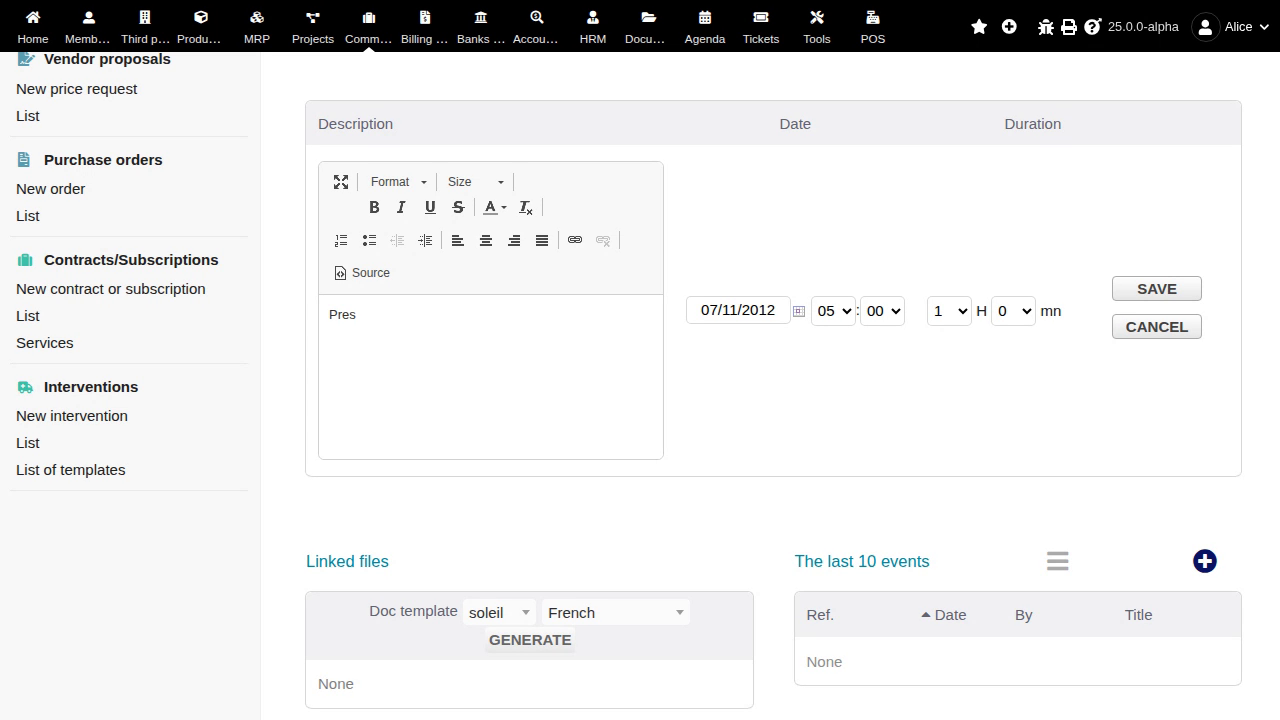
Clicking the Pres line pencil opens the line editor with Save and Cancel. Validate, Clone and Delete remain visibly enabled record-level links below the active editor. The replay establishes the conflicting action availability, but does not demonstrate discarded edits or execution of those commands. Only the intervention card was exercised.
#40071
Business & finance
Open missing direct debit records
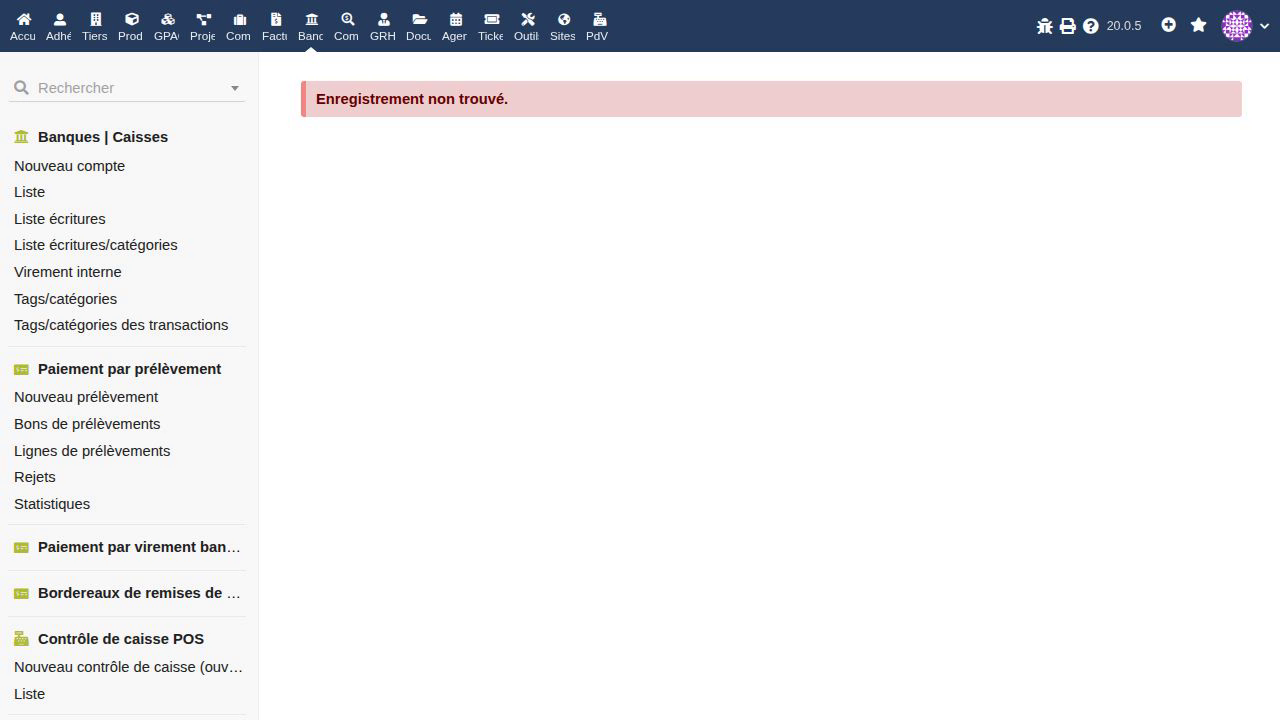
All four missing-ID requests render incomplete direct-debit cards instead of explaining that the requested record is absent. The order, rejects and statistics views show no order reference or date, amount 0,00 and receipts/.xml. The line view presents reference 999999, no order reference or date, amount 0,00 and ErrorBadValueForParamNotAString. No PHP warning is visible in the recorded browser. The demonstrated defect is the misleading card state, regardless of server-side warning visibility.
#41125
Business & finance
Change mark rates across proposal lines
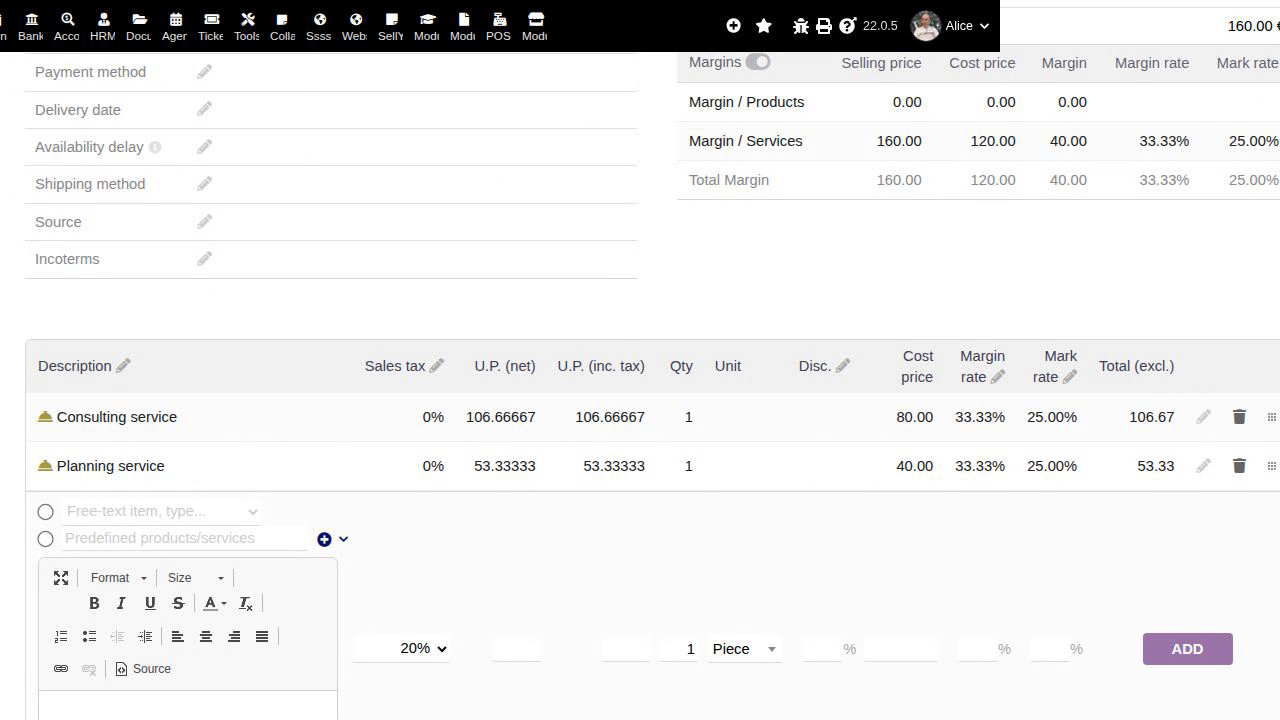
The proposal shows two Wrong or missing parameters messages after Update. Both free-text service lines nevertheless display 25% mark rates, with unit prices 106.66667 and 53.33333, line totals EUR106.67 and EUR53.33, and a proposal total of EUR160. The observed defect is contradictory failure feedback after the requested recalculation. This case covers proposals; orders and invoices were not exercised.
#39305