
Review a direct debit order and its line details.
The intention is included in the agent’s input prompt alongside environment details and task instructions.
BeforeThe defect at the parent commit
0:00.00 / 0:00.00Frame 0 · Review the direct debit order list
Compare four missing-record links: each incorrectly renders an ordinary card with absent or misleading data.
AfterThe same script once the merged fix is applied
0:00.00 / 0:00.00Frame 0 · Review the direct debit order list
The missing order and line links now show an explicit record-not-found message while retaining application navigation.
01 · Given
Restore the data and starting state.
An administrator is signed in with direct debit and bank transfer modules enabled. The direct debit order list is open, and links reference an order and a line that do not exist.
02 · When
Perform the interaction.
Directly open the links to the missing order's details, rejects and statistics, then the missing line's details, in the same authenticated browser.
03 · Judge
Rationale: A missing direct-debit record is different from a valid record with zero amount. Rendering an incomplete financial card conceals that distinction; a clear not-found state lets the user recognize the dead link and return to existing records.
Require
Each of the four missing-record pages must explicitly report that the record was not found and retain a list link or normal navigation for recovery. Omit the ordinary record card, fabricated zero-valued details, malformed download, record-specific mutation commands and internal error token.
Allowed
- A localized not-found message or a dedicated not-found page is acceptable; an HTTP 404 is optional.
- Exact message wording and recovery-link placement may differ, provided absence is explicit and ordinary navigation remains usable.
Model
HarnessDeepSeek Flash
DSH
23.5M in · 71.1k out · 23.6M total
DSH · 147 steps · $0.15 · 14m 21s · 23.6M tokens
DSH
147
$0.15
14m 21s
23.5M
71.1k
23.6M
GLM-5.3 Flash
ZCode
52.5M in · 128.6k out · 52.6M total
ZCode · 312 steps · $1.68 · 55m 16s · 52.6M tokens
ZCode
312
$1.68
55m 16s
52.5M
128.6k
52.6M
GPT-6 Astra
Codex
994.3k in · 8.6k out · 1.0M total
Codex · 23 steps · $2.05 · 5m 13s · 1.0M tokens
Codex
23
$2.05
5m 13s
994.3k
8.6k
1.0M
Qwen3.8 Max
Codex
12.1M in · 59.6k out · 12.2M total
Codex · 130 steps · $4.03 · 1h 02m · 12.2M tokens
Codex
130
$4.03
1h 02m
12.1M
59.6k
12.2M
Kimi K3
Kimi Code
26.4M in · 273.0k out · 26.7M total
Kimi Code · 128 steps · $14.60 · 1h 01m · 26.7M tokens
Kimi Code
128
$14.60
1h 01m
26.4M
273.0k
26.7M
Claude Opus 5.5
Claude Code
44.0M in · 151.0k out · 44.2M total
Claude Code · 312 steps · $15.61 · 44m 17s · 44.2M tokens
Claude Code
312
$15.61
44m 17s
44.0M
151.0k
44.2M
Business & finance
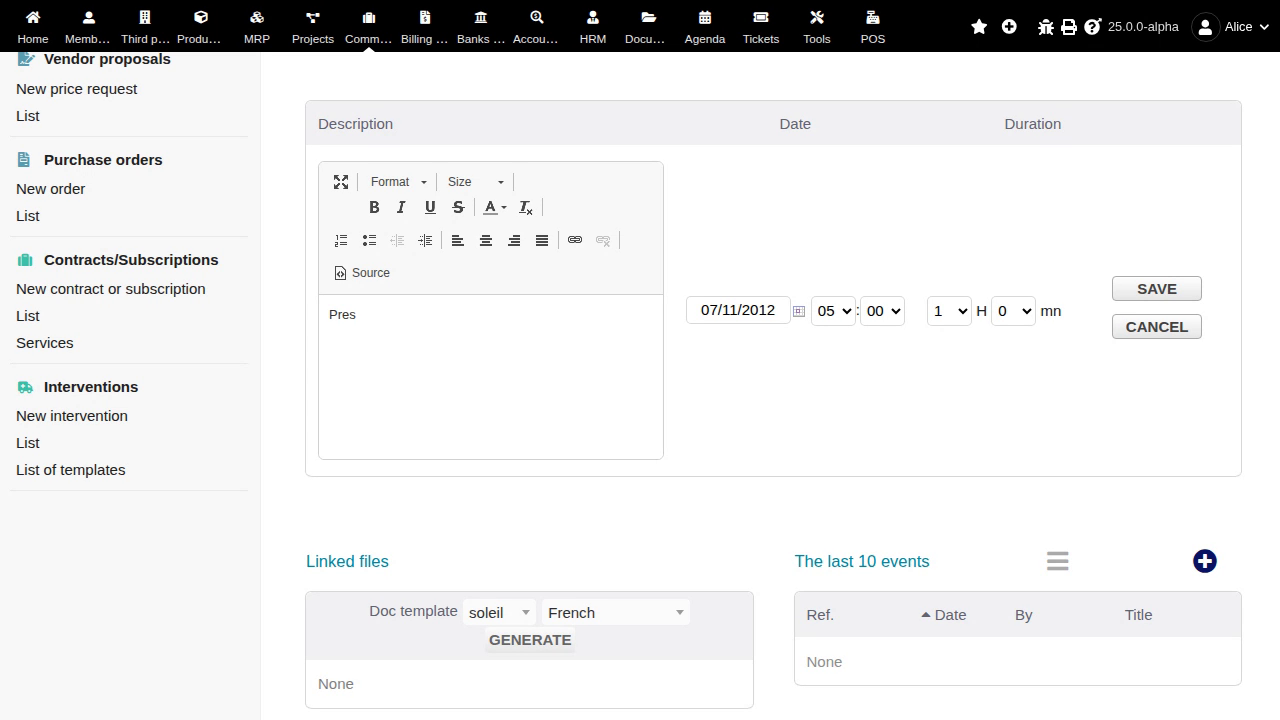
Edit a draft intervention line
Clicking the Pres line pencil opens the line editor with Save and Cancel. Validate, Clone and Delete remain visibly enabled record-level links below the active editor. The replay establishes the conflicting action availability, but does not demonstrate discarded edits or execution of those commands. Only the intervention card was exercised.
#40071
Business & finance
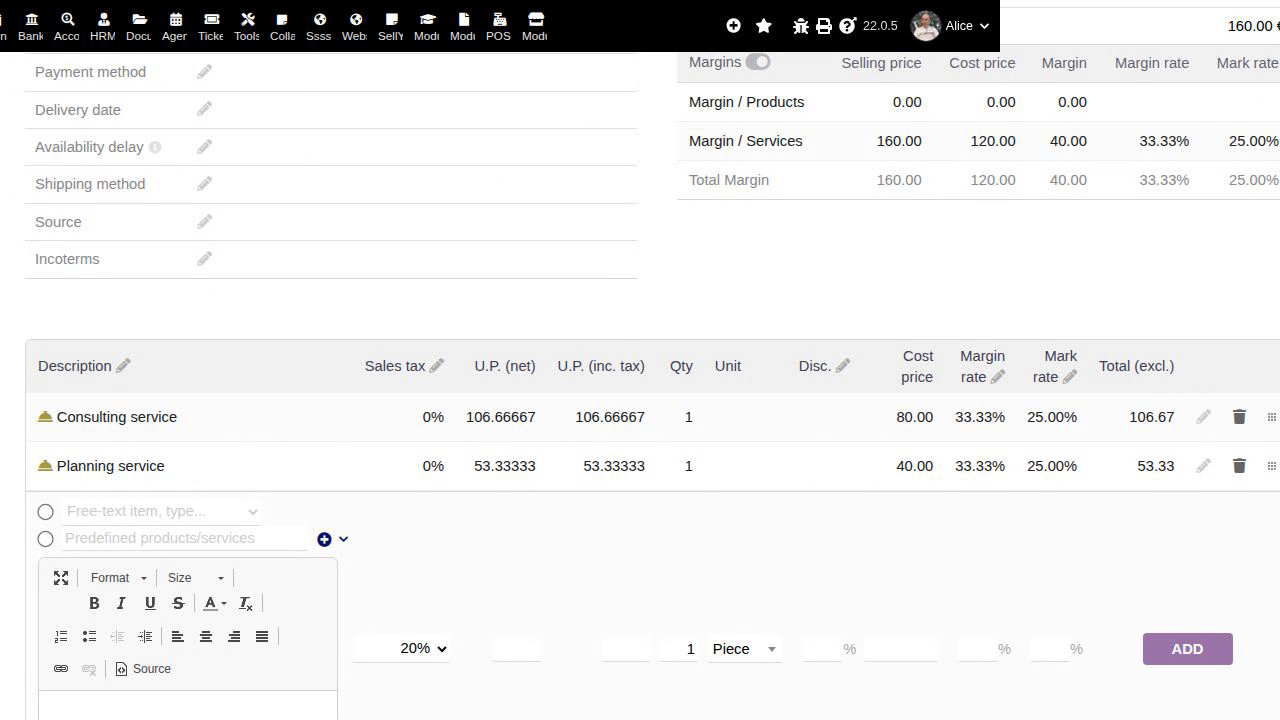
Change mark rates across proposal lines
The proposal shows two Wrong or missing parameters messages after Update. Both free-text service lines nevertheless display 25% mark rates, with unit prices 106.66667 and 53.33333, line totals EUR106.67 and EUR53.33, and a proposal total of EUR160. The observed defect is contradictory failure feedback after the requested recalculation. This case covers proposals; orders and invoices were not exercised.
#39305
Business & finance
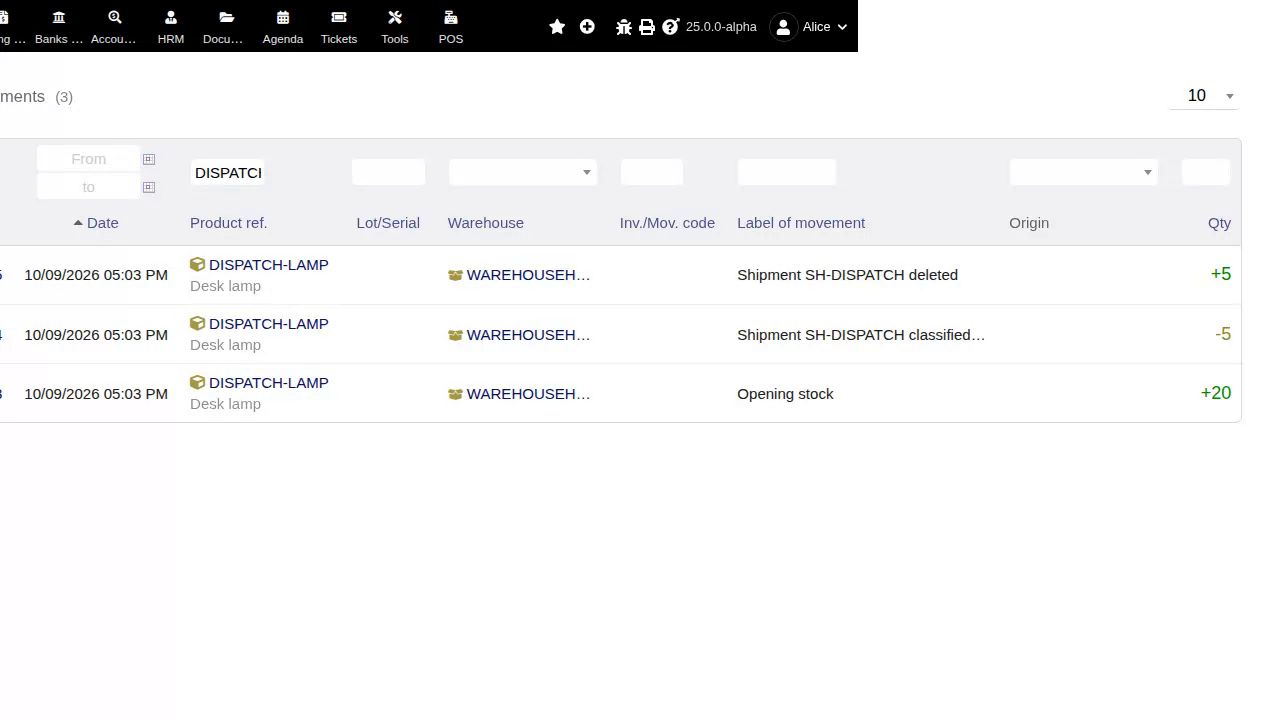
Delete a shipment and review stock consequences
The processed shipment has already reduced Desk lamp stock from 20 to 15. Its ordinary deletion dialog initially leaves Increase stock on deletion unchecked and gives only a generic shipment-deletion confirmation, with no warning about the stock movement already generated. Explicitly choosing not to restore stock deletes the shipment while stock stays at 15; the -5 shipment movement remains but its visible Origin cell is empty. This demonstrates the missing consequence warning, not an incorrectly applied stock-restoration choice.
#40920