
Browse a repository's branches.
The intention is included in the agent’s input prompt alongside environment details and task instructions.
BeforeThe defect at the parent commit
0:00.00 / 0:00.00Frame 0
Open the branch selector, hover Branches, and inspect its appearance after activation. The address bar and accessibility roles are outside the recording.
AfterThe same script once the merged fix is applied
0:00.00 / 0:00.00Frame 0
Open the selector and reactivate Branches while inspecting the visible main selection. The recording does not show the URL or accessibility roles.
01 · Given
Restore the data and starting state.
A public repository's Code page has main selected. Its open ref selector shows the active Branches tab, the alternative Tags tab, and a separate View all branches destination.
02 · When
Perform the interaction.
Hover over and click the already-active Branches tab in the open ref selector.
03 · Judge
Rationale: Branches and Tags select within the current dropdown; View all branches navigates elsewhere. Distinguishing those roles prevents a local action from suggesting navigation or changing the URL unnecessarily.
Require
Expose Branches and Tags as local dropdown-tab actions, with no empty-fragment link or empty # URL change. Preserve tab selection and the separate View all branches destination; reactivating Branches may leave its content unchanged.
Allowed
- Conventional button or tab controls with appropriate local-action semantics are acceptable; a specific element tag or CSS class is not required.
- Hover color, pointer cursor, and focus treatment may vary, and returning focus to the filter is acceptable.
- The active tab may perform no content change; it must not be forced to navigate to /branches.
Model
HarnessDeepSeek Flash
DSH
18.6M in · 58.0k out · 18.7M total
DSH · 126 steps · $0.12 · 19m 49s · 18.7M tokens
DSH
126
$0.12
19m 49s
18.6M
58.0k
18.7M
GLM-5.3 Flash
ZCode
36.9M in · 145.3k out · 37.0M total
ZCode · 354 steps · $1.24 · 1h 04m · 37.0M tokens
ZCode
354
$1.24
1h 04m
36.9M
145.3k
37.0M
GPT-6 Astra
Codex
2.1M in · 8.4k out · 2.2M total
Codex · 37 steps · $3.30 · 10m 13s · 2.2M tokens
Codex
37
$3.30
10m 13s
2.1M
8.4k
2.2M
Kimi K3
Kimi Code
8.3M in · 89.3k out · 8.4M total
Kimi Code · 76 steps · $4.85 · 38m 32s · 8.4M tokens
Kimi Code
76
$4.85
38m 32s
8.3M
89.3k
8.4M
Qwen3.8 Max
Codex
20.6M in · 98.1k out · 20.7M total
Codex · 185 steps · $6.57 · 1h 05m · 20.7M tokens
Codex
185
$6.57
1h 05m
20.6M
98.1k
20.7M
Claude Opus 5.5
Claude Code
41.7M in · 156.4k out · 41.9M total
Claude Code · 329 steps · $14.34 · 1h 06m · 41.9M tokens
Claude Code
329
$14.34
1h 06m
41.7M
156.4k
41.9M
Developer tools
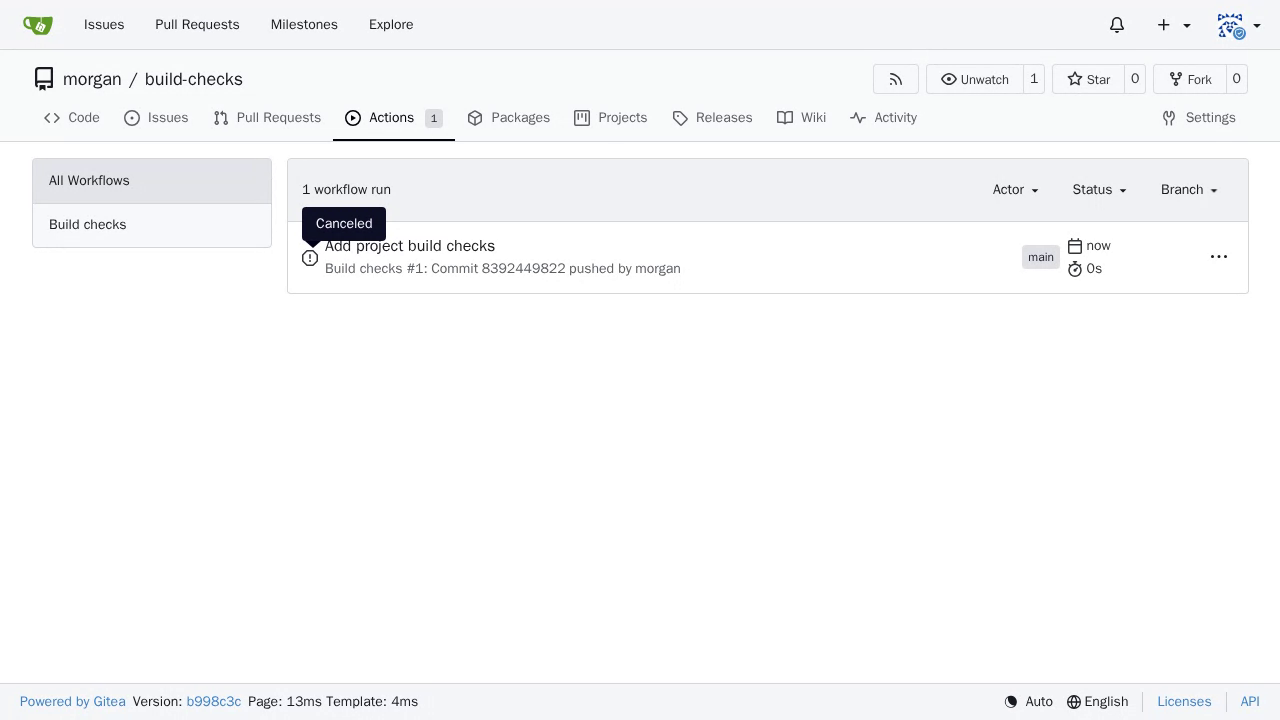
Synchronize a canceled workflow in the run list
The retained list continues to display Waiting throughout the observation. A separate diagnostic manual reload then displays Canceled for the same run, confirming that the list was stale after cancellation. The final screenshot is after that diagnostic reload; the preceding video shows the defect. This evidence concerns cancellation, not successful runner execution.
#38329
Developer tools
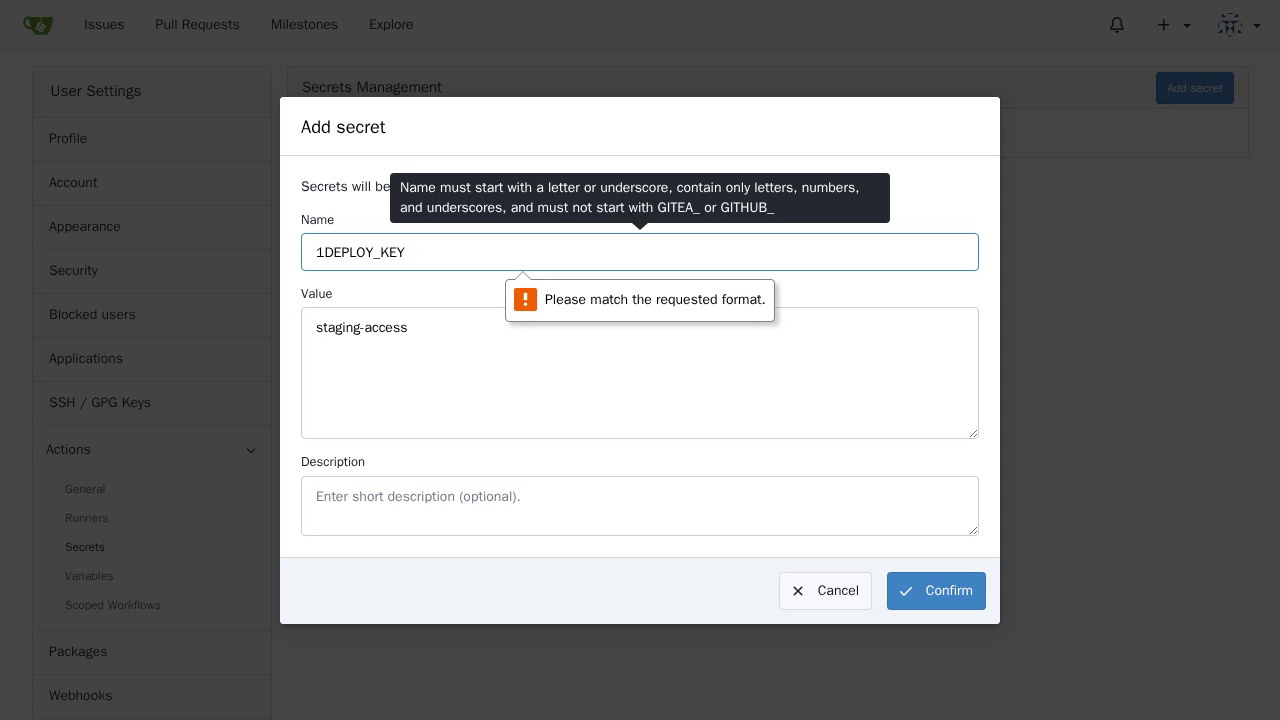
Explain Actions secret naming rules
Native HTML5 validation blocks submission, focuses Name, and says Please match the requested format. The dialog retains the entered values but does not explain that the initial digit is invalid or how to correct it.
#39221
Developer tools
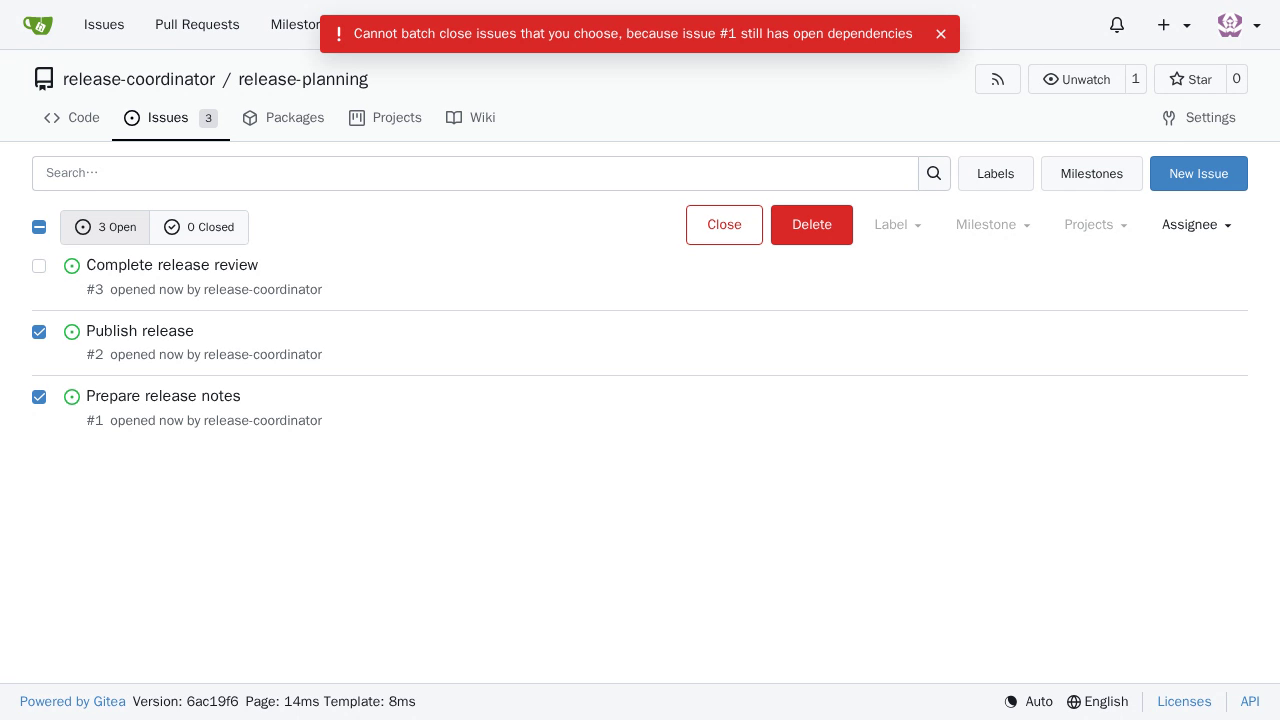
Preserve selections when batch closing issues fails
The native request fails with HTTP 412. The interface shows no error message, reloads the list, clears both selections, and restores the filter toolbar. All three issues remain open (3 Open, 0 Closed). A browser-console error is not feedback visible to the person using the list.
#38593