
Cancel a waiting workflow run.
The intention is included in the agent’s input prompt alongside environment details and task instructions.
BeforeThe defect at the parent commit
0:00.00 / 0:00.00Frame 0 · Hover the Build checks run's status icon in the Actions list.
Cancel the waiting workflow, inspect the returned list, and compare it with a diagnostic manual refresh.
AfterThe same script once the merged fix is applied
0:00.00 / 0:00.00Frame 0 · Hover the Build checks run's status icon in the Actions list.
Cancel the waiting workflow, return to the Actions list, and inspect the run status.
01 · Given
Restore the data and starting state.
A signed-in user is on the repository's Actions list. Build checks #1 (Add project build checks) is Waiting, and the repository has no online runner.
02 · When
Perform the interaction.
Open the waiting run, click Cancel workflow run, verify that its detail shows Canceled, then use browser Back to return to the retained Actions list and observe its status without manually refreshing.
03 · Judge
Rationale: The run detail and Actions list describe the same workflow. A list that still says Waiting after cancellation gives contradictory status and makes the user refresh to establish what happened.
Require
On returning to the Actions list, reflect the canceled run automatically on reentry or within a reasonable synchronization interval, without manual refresh. Keep its identity and list context understandable.
Allowed
- Refresh on reentry, periodic updates, or server-driven updates are acceptable; no specific polling algorithm is required.
- Status wording, icons, and layout may vary if the canceled state is unambiguous.
- Cancellation may end a waiting run without any runner ever executing it.
Model
HarnessDeepSeek Flash
DSH
18.5M in · 51.5k out · 18.5M total
DSH · 126 steps · $0.12 · 24m 00s · 18.5M tokens
DSH
126
$0.12
24m 00s
18.5M
51.5k
18.5M
GLM-5.3 Flash
ZCode
35.3M in · 122.1k out · 35.4M total
ZCode · 341 steps · $1.16 · 1h 04m · 35.4M tokens
ZCode
341
$1.16
1h 04m
35.3M
122.1k
35.4M
GPT-6 Astra
Codex
1.4M in · 4.5k out · 1.4M total
Codex · 30 steps · $2.20 · 8m 51s · 1.4M tokens
Codex
30
$2.20
8m 51s
1.4M
4.5k
1.4M
Claude Opus 5.5
Claude Code
5.4M in · 24.6k out · 5.5M total
Claude Code · 82 steps · $2.27 · 16m 50s · 5.5M tokens
Claude Code
82
$2.27
16m 50s
5.4M
24.6k
5.5M
Qwen3.8 Max
Codex
22.4M in · 81.4k out · 22.5M total
Codex · 188 steps · $6.64 · 1h 04m · 22.5M tokens
Codex
188
$6.64
1h 04m
22.4M
81.4k
22.5M
Kimi K3
Kimi Code
20.8M in · 70.8k out · 20.9M total
Kimi Code · 164 steps · $8.22 · 1h 04m · 20.9M tokens
Kimi Code
164
$8.22
1h 04m
20.8M
70.8k
20.9M
Developer tools
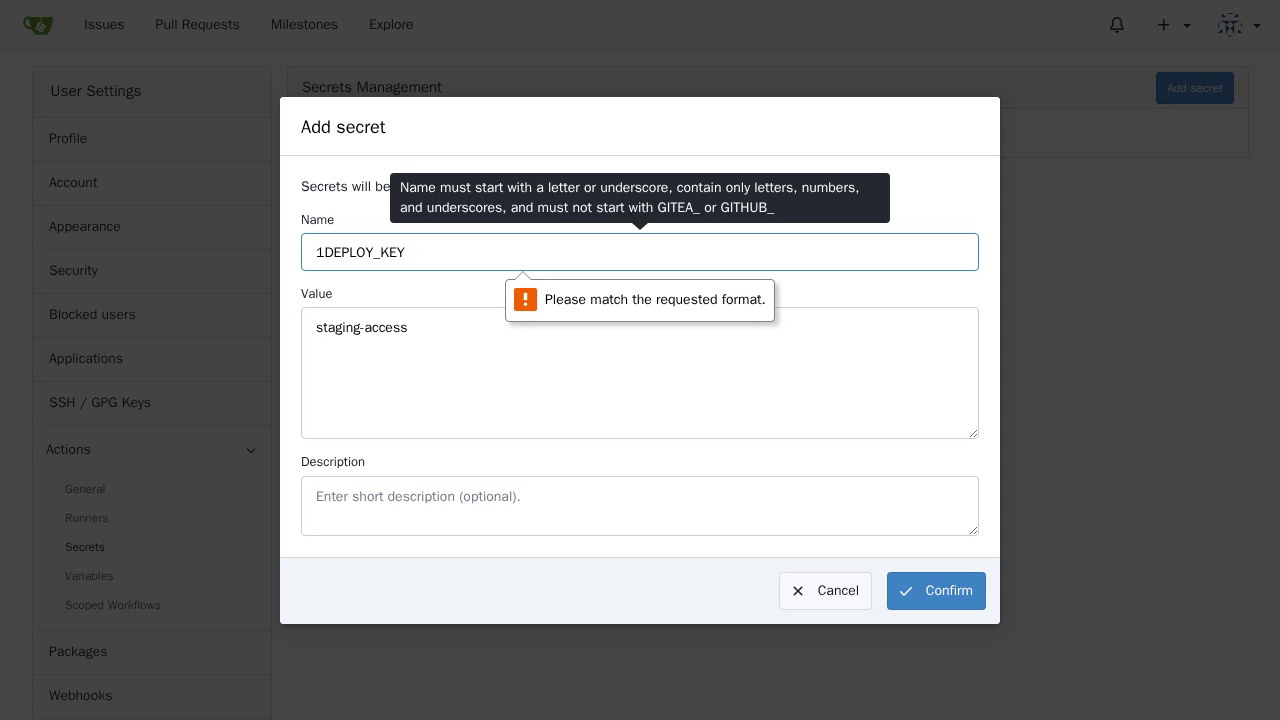
Explain Actions secret naming rules
Native HTML5 validation blocks submission, focuses Name, and says Please match the requested format. The dialog retains the entered values but does not explain that the initial digit is invalid or how to correct it.
#39221
Developer tools
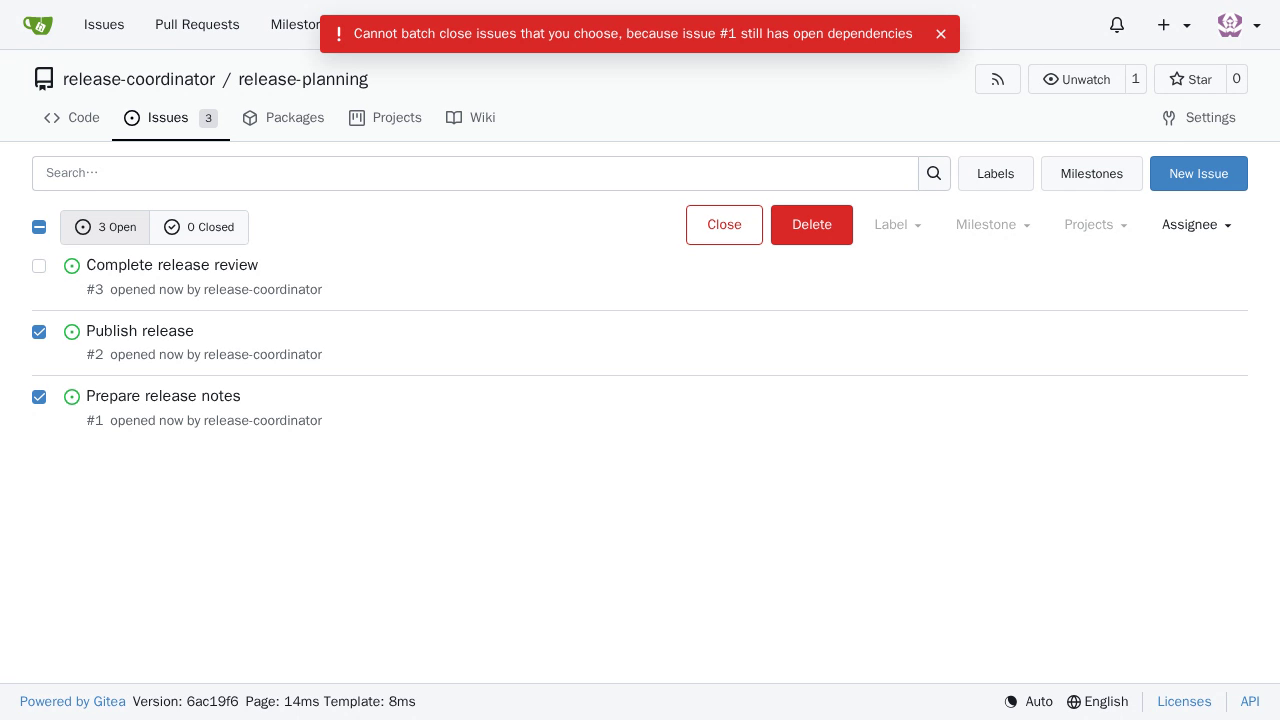
Preserve selections when batch closing issues fails
The native request fails with HTTP 412. The interface shows no error message, reloads the list, clears both selections, and restores the filter toolbar. All three issues remain open (3 Open, 0 Closed). A browser-console error is not feedback visible to the person using the list.
#38593
Developer tools
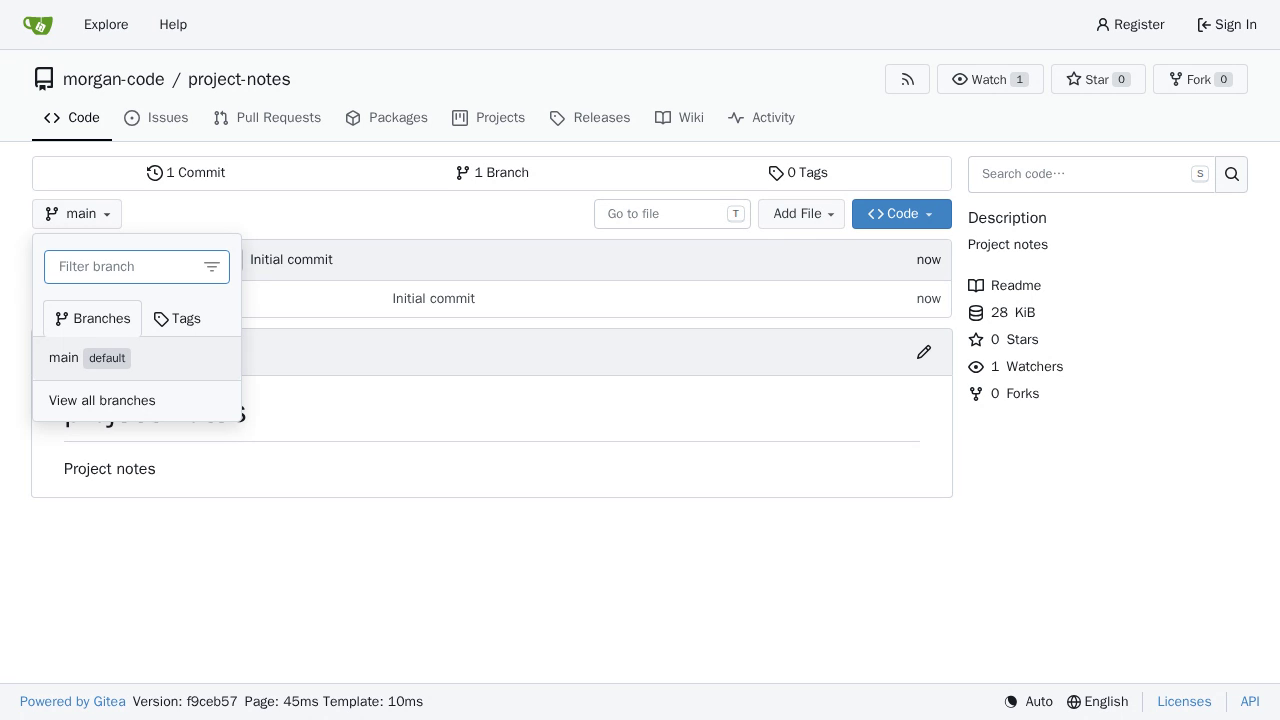
Use local tabs in the branch selector
The tab adopts link-like hover styling. Clicking keeps the same Code page, dropdown, active Branches tab, and main branch content; the retained Reproduction issue context additionally reports an added trailing # and focus on Filter branch. The unchanged active-tab content is normal; the misleading link semantics and empty-fragment navigation side effect are the defect. Browser chrome is not present in the replay video, so the URL observation relies on the retained Reproduction context, not visual confirmation in the video.
#39285