
Invite a colleague to a shared dashboard and add them to multiple team groups.
The intention is included in the agent’s input prompt alongside environment details and task instructions.
BeforeThe defect at the parent commit
0:00.00 / 0:00.00Frame 0 · Review collection permissions
Watch the Groups list and the space below it. The baseline sends the invitation successfully, but does not explain that the selected groups cannot view this dashboard.
AfterThe same script once the merged fix is applied
0:00.00 / 0:00.00Frame 0 · Review collection permissions
Watch the warning directly below Groups: it appears for Marketing, clears when Sales is added, and returns when Sales is removed. The warning still allows the invitation to be sent.
01 · Given
Restore the data and starting state.
An administrator is viewing Campaign Performance in the Invite Access Demo collection. Sales can view the collection, while Marketing and All Users cannot.
02 · When
Perform the interaction.
The administrator opens the dashboard invitation form, selects Marketing, adds and then removes Sales, and sends the invitation with only non-access groups selected.
03 · Judge
Rationale: An administrator is inviting a colleague to Campaign Performance and choosing their team memberships. Sales can view the dashboard’s collection, while Marketing cannot, so changing the selected groups also changes the colleague’s access. The form should explain this consequence and warn when access is missing, while still allowing the intended memberships.
Require
The invitation form shows all eligible groups and distinguishes those granting dashboard access. Both access and non-access groups remain selectable. Selecting only non-access groups shows an inline warning, and submitting the invitation succeeds.
Allowed
- Section headings, badges, helper text, or another clear treatment may distinguish access groups. All Users may remain preselected and non-removable. Non-access groups may remain selectable for organizational membership. Group order and warning wording may vary.
Model
HarnessDeepSeek Flash
DSH
29.0M in · 95.0k out · 29.1M total
DSH · 201 steps · $0.35 · 49m 14s · 29.1M tokens
DSH
201
$0.35
49m 14s
29.0M
95.0k
29.1M
GLM-5.3 Flash
ZCode
18.4M in · 57.1k out · 18.4M total
ZCode · 217 steps · $0.61 · 53m 51s · 18.4M tokens
ZCode
217
$0.61
53m 51s
18.4M
57.1k
18.4M
Claude Opus 5.5
Claude Code
1.9M in · 13.2k out · 1.9M total
Claude Code · 34 steps · $1.17 · 20m 24s · 1.9M tokens
Claude Code
34
$1.17
20m 24s
1.9M
13.2k
1.9M
GPT-6 Astra
Codex
2.6M in · 10.4k out · 2.7M total
Codex · 43 steps · $3.98 · 28m 50s · 2.7M tokens
Codex
43
$3.98
28m 50s
2.6M
10.4k
2.7M
Qwen3.8 Max
Codex
24.7M in · 94.5k out · 24.8M total
Codex · 192 steps · $7.54 · 1h 20m · 24.8M tokens
Codex
192
$7.54
1h 20m
24.7M
94.5k
24.8M
Kimi K3
Kimi Code
24.3M in · 110.4k out · 24.4M total
Kimi Code · 207 steps · $10.17 · 1h 27m · 24.4M tokens
Kimi Code
207
$10.17
1h 27m
24.3M
110.4k
24.4M
Data & analytics
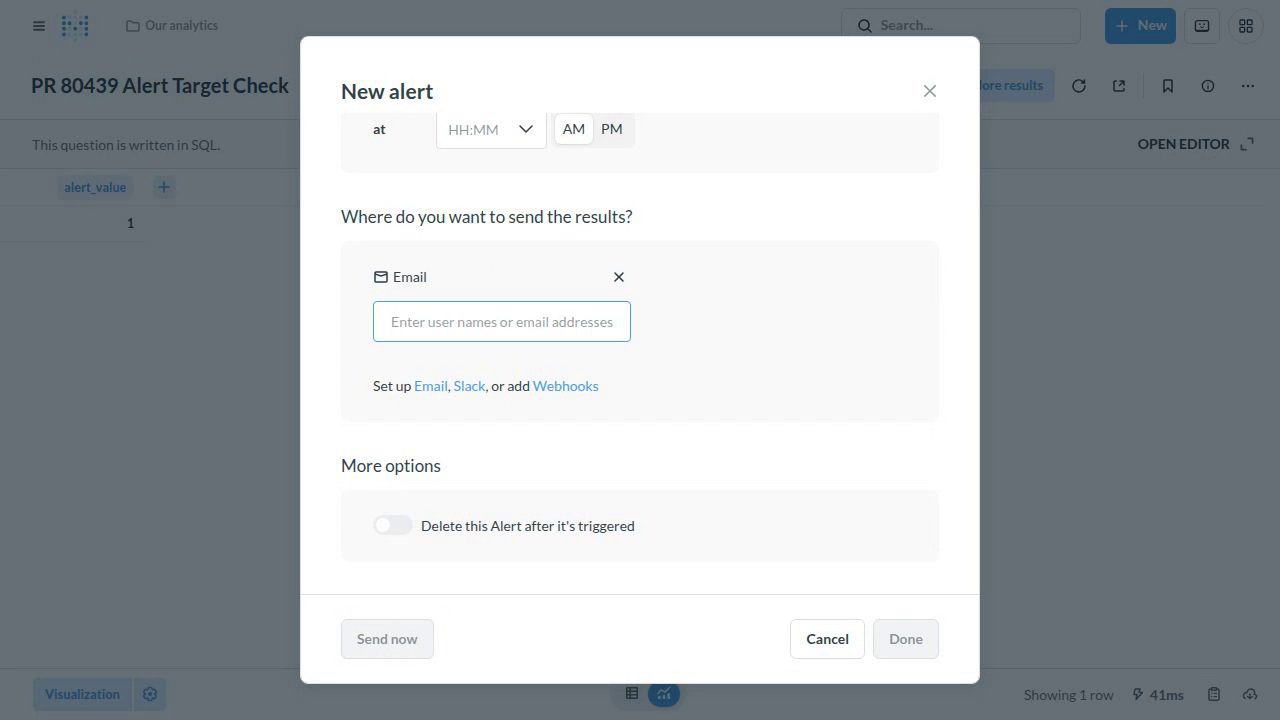
Remove the default email recipient while creating a question alert
The 'New alert' modal's Email destination has an empty recipient field; 'Done' is disabled, but 'Send now' remains enabled.
#80439
Data & analytics
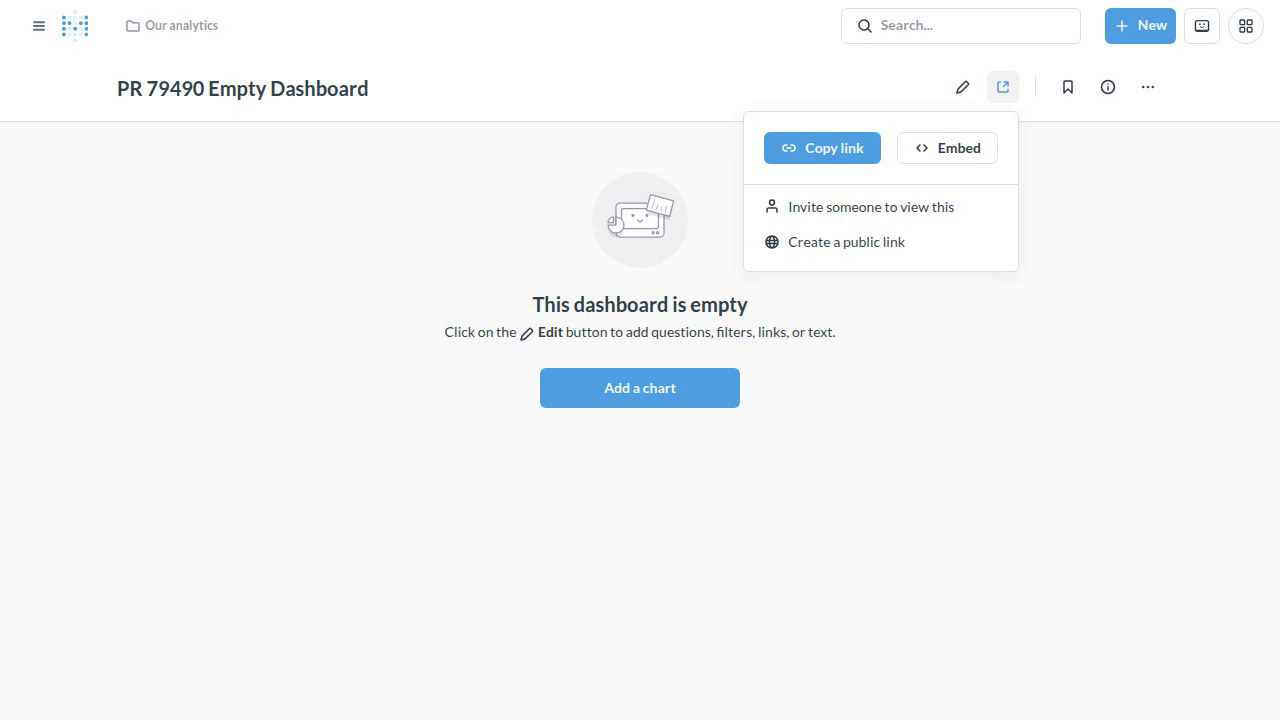
Attempt to export an empty dashboard as a PDF
No PDF file is generated, but a download notification reports `Done!` and `Download completed`; the console warns `No dashboard content found #Dashboard-Parameters-And-Cards-Container`.
#79490